
June 2026 Feature Updates: More Flexible Labeling, Better Audio Workflows, and Easier Sync Management
Data Studio
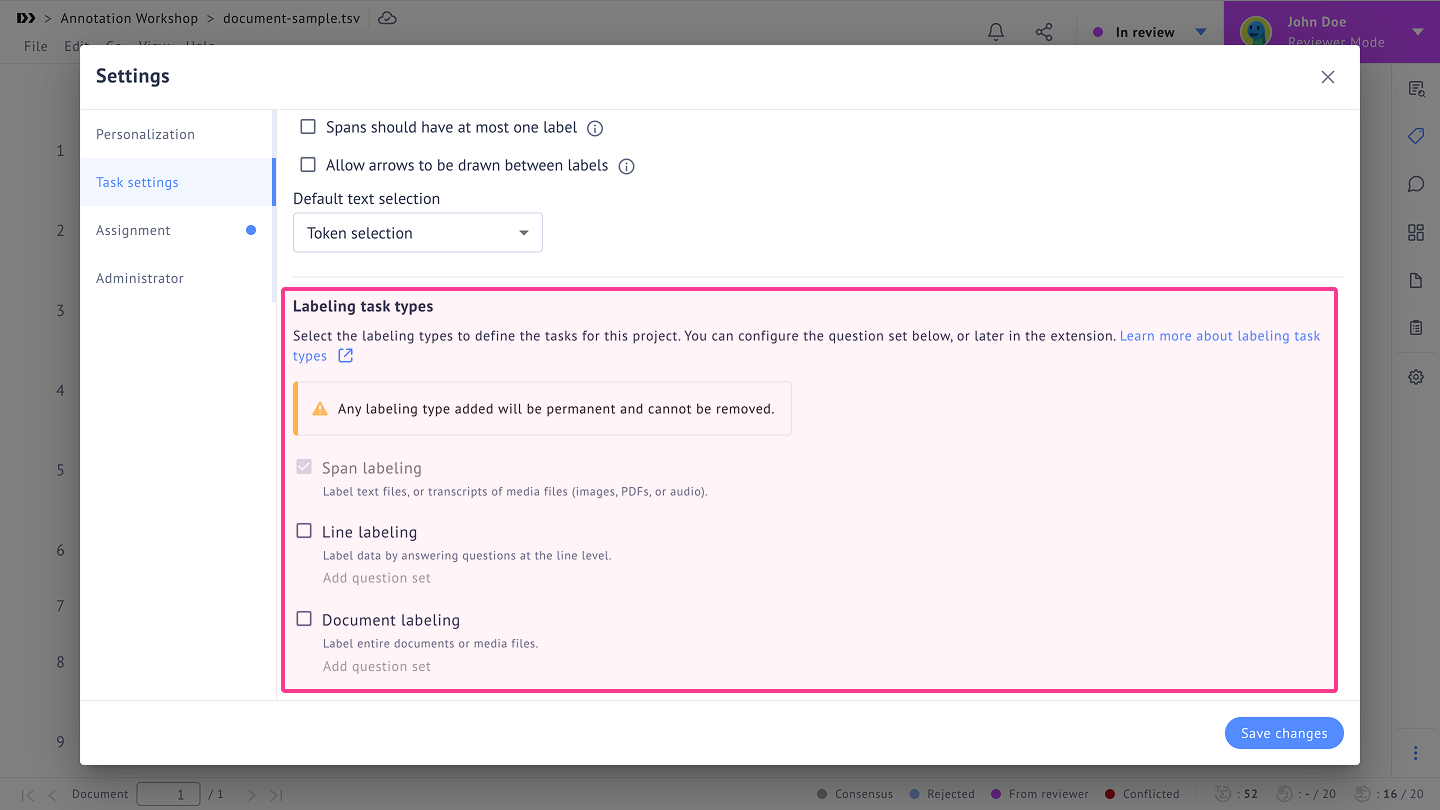
Ongoing Projects: Add New Labeling Task Type Without Starting Over
You can now add additional labeling task type to an existing project, making it easier to support more complex workflows in one place. Instead of spinning up separate projects, your team can expand a live project as requirements evolve.
Label Attributes: Capture More Context Without Expanding Your Label Set
You can now add custom attributes to applied labels, making it easier to record nuanced details that do not fit neatly into predefined label classes. This gives your team more flexibility when handling complex annotation tasks without overcomplicating the core label structure.
.gif)
Arrow Labeling Agent: Automate Arrow Predictions in Span-Based Projects
You can now configure and run an Arrow Labeling Agent for span-based projects, bringing automated arrow prediction into your workflow. With setup available during project creation and from the label editor, it is easier to introduce automation where it saves the most effort.
.gif)
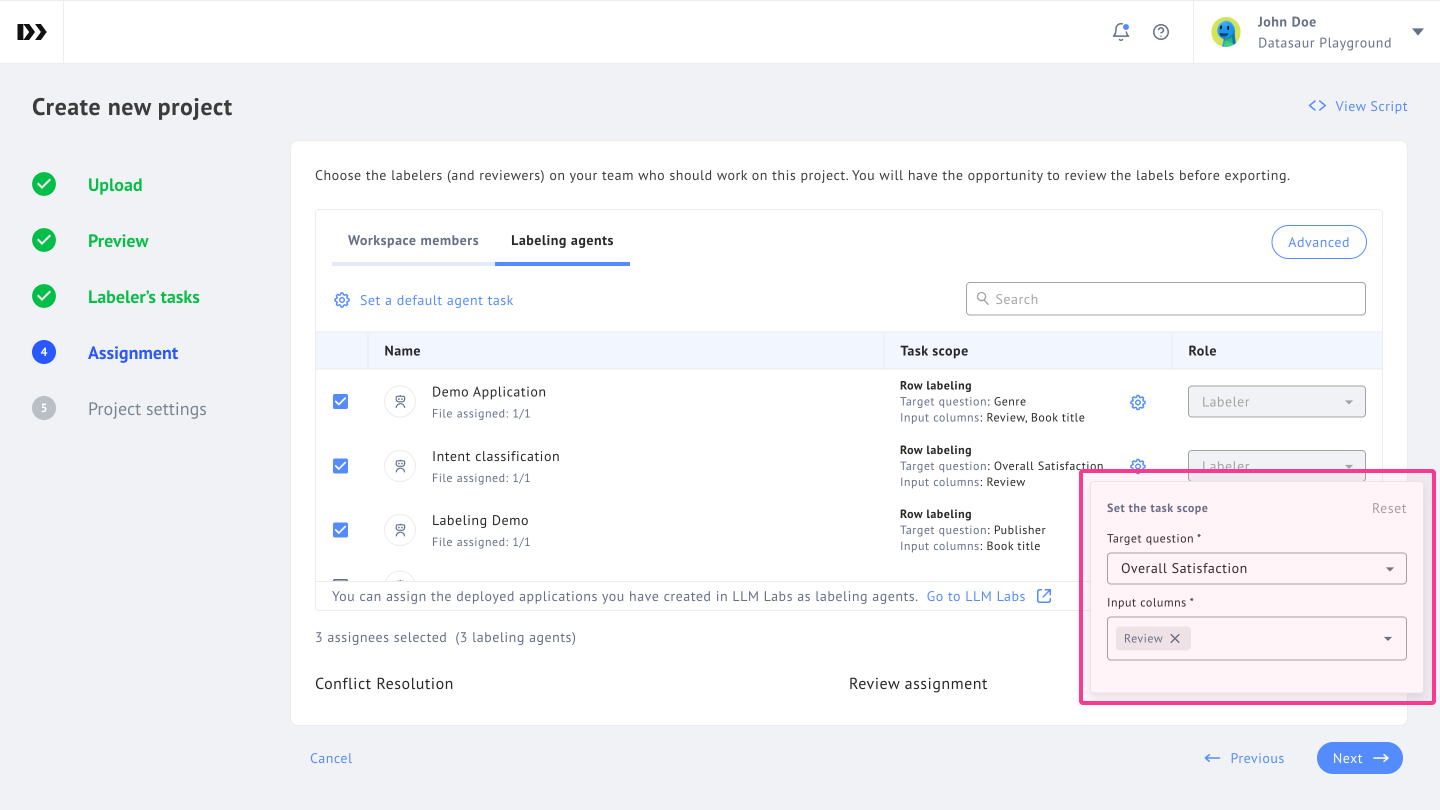
Row-Based Labeling Agent Tasks: Configure Each Agent Assignment More Precisely
Row-based Labeling Agents now support individual task configuration for each agent assignment, giving you more granular control over how automated work is distributed. This helps teams tailor agent behavior more closely to the structure of their projects.
Labeling Agent Reset in Review: Clear Agent Output for Specific Documents and Ranges
Reviewers, supervisors, and admins can now reset a labeling agent's work for a selected document and row range directly from the Review extension. This makes it much easier to correct, rerun, or clean up automated output without affecting unrelated work.
.gif)
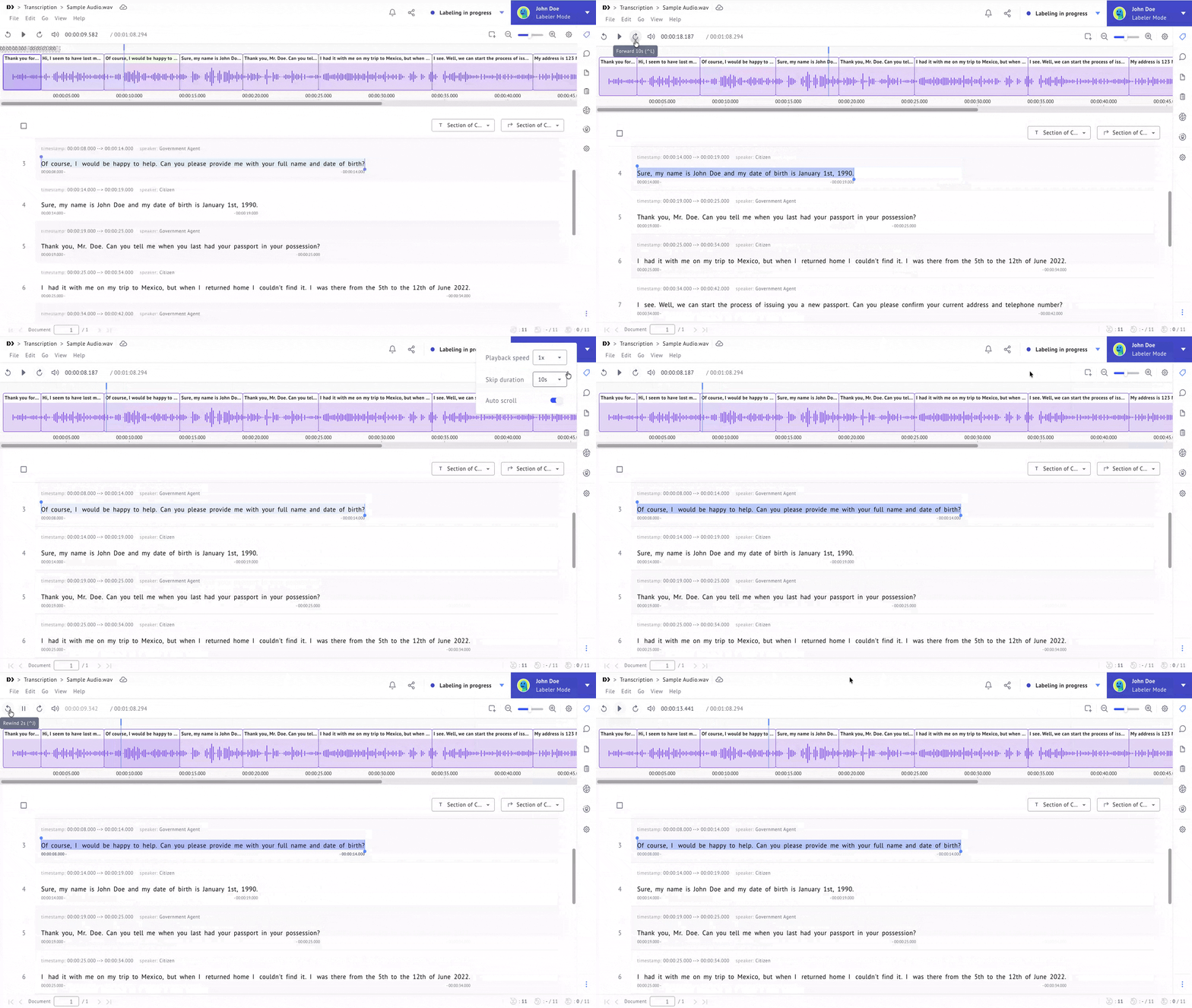
Audio Labeling Controls: Customize Skip Timing for Faster Review
Audio labeling now lets you set a custom skip forward and backward duration, with your preference saved across sessions. This makes it easier to review audio at the pace that fits your workflow, especially when you are working through repetitive validation tasks.
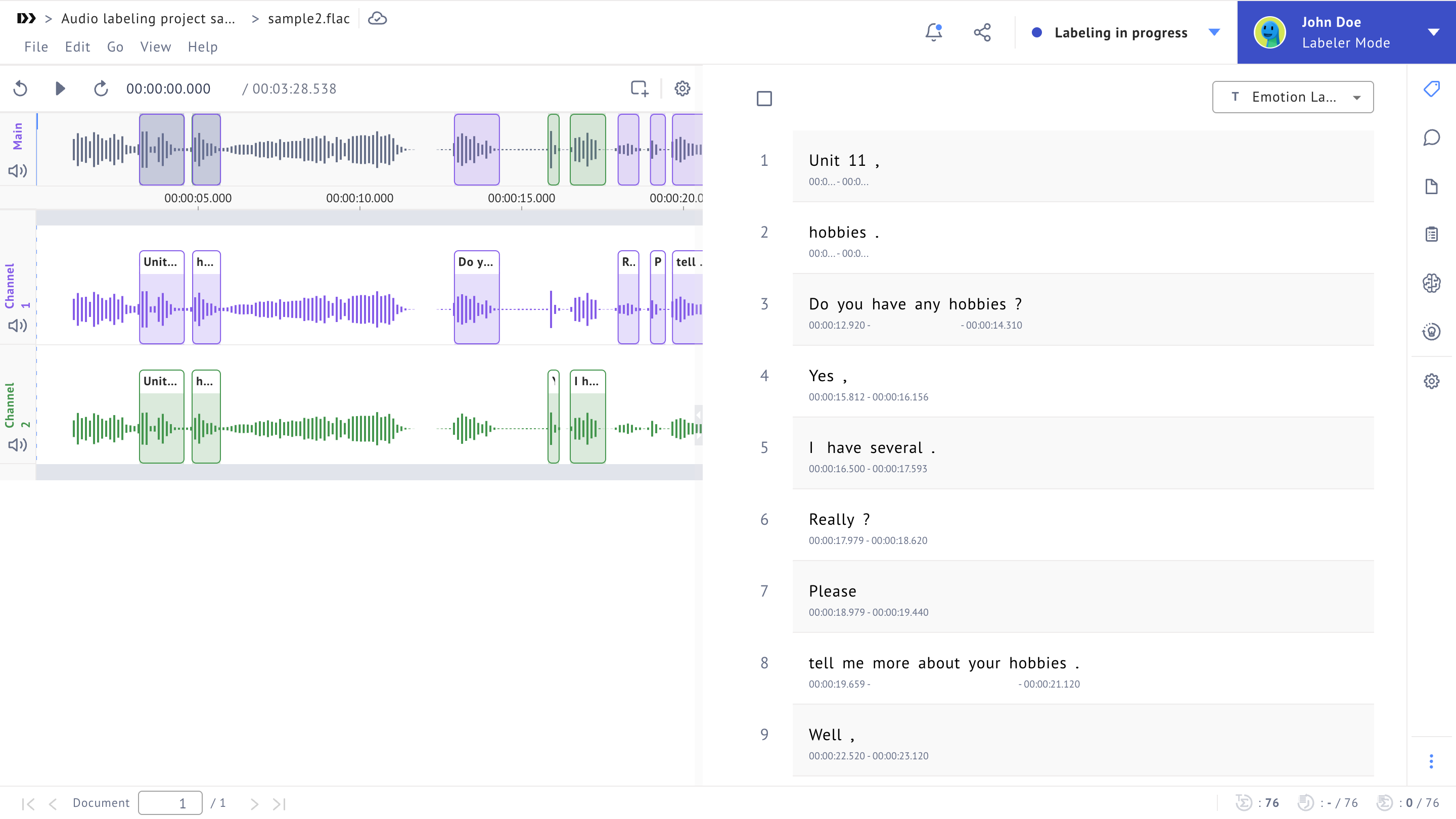
Multi-Channel Audio Layout: View Multiple Audio Tracks Side by Side
Multi-channel audio projects now open with a side-by-side layout by default, giving you a clearer view of multiple channels at once. This makes comparison and labeling easier when your work depends on understanding how channels relate to each other.
LLM Labs
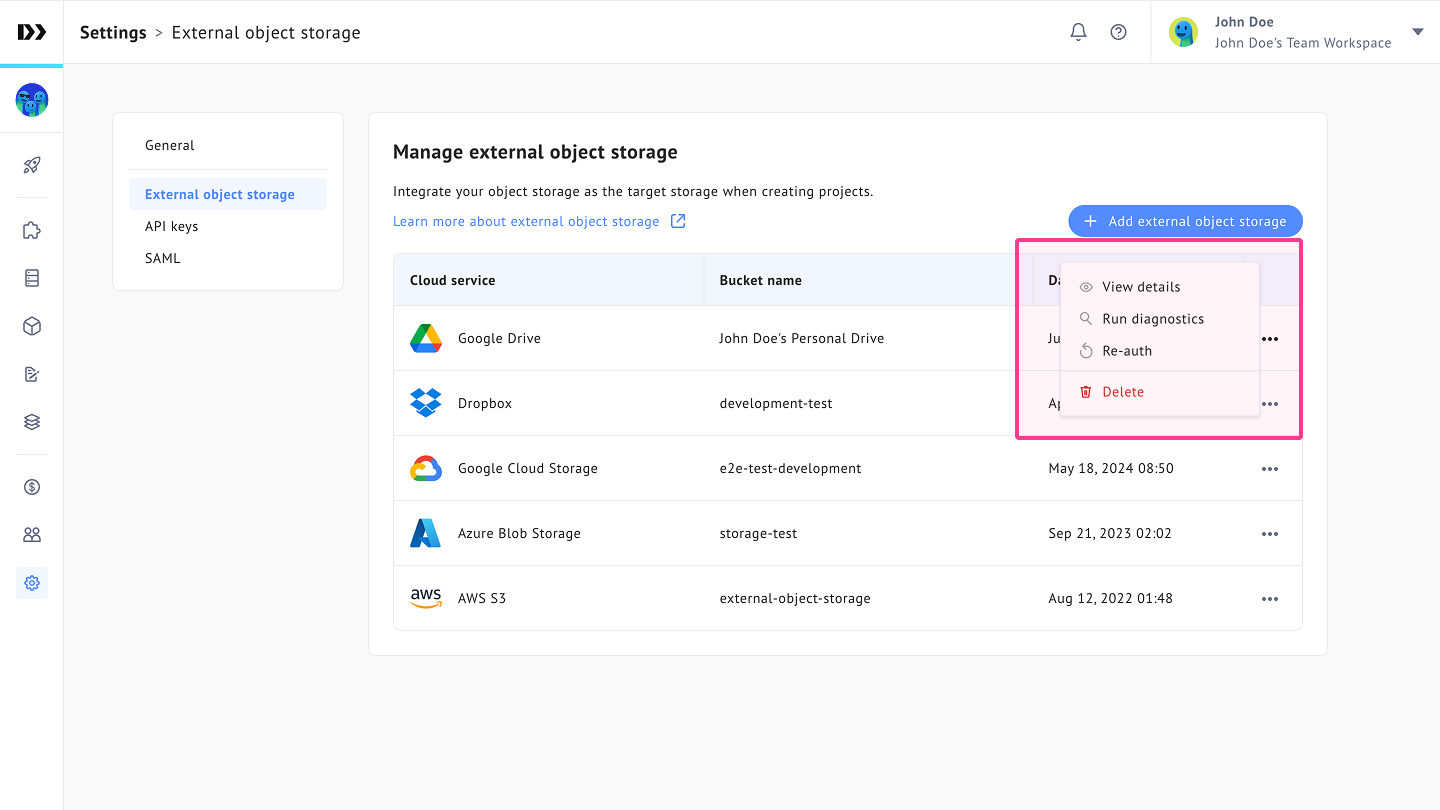
Google Drive Re-Authentication: Refresh Your Connection Without Re-Syncing Everything
You can now re-authenticate your Google Drive connection directly from Workspace Settings without triggering a full re-sync of files you have already imported. This makes connection maintenance much less disruptive, especially for teams managing large file libraries.
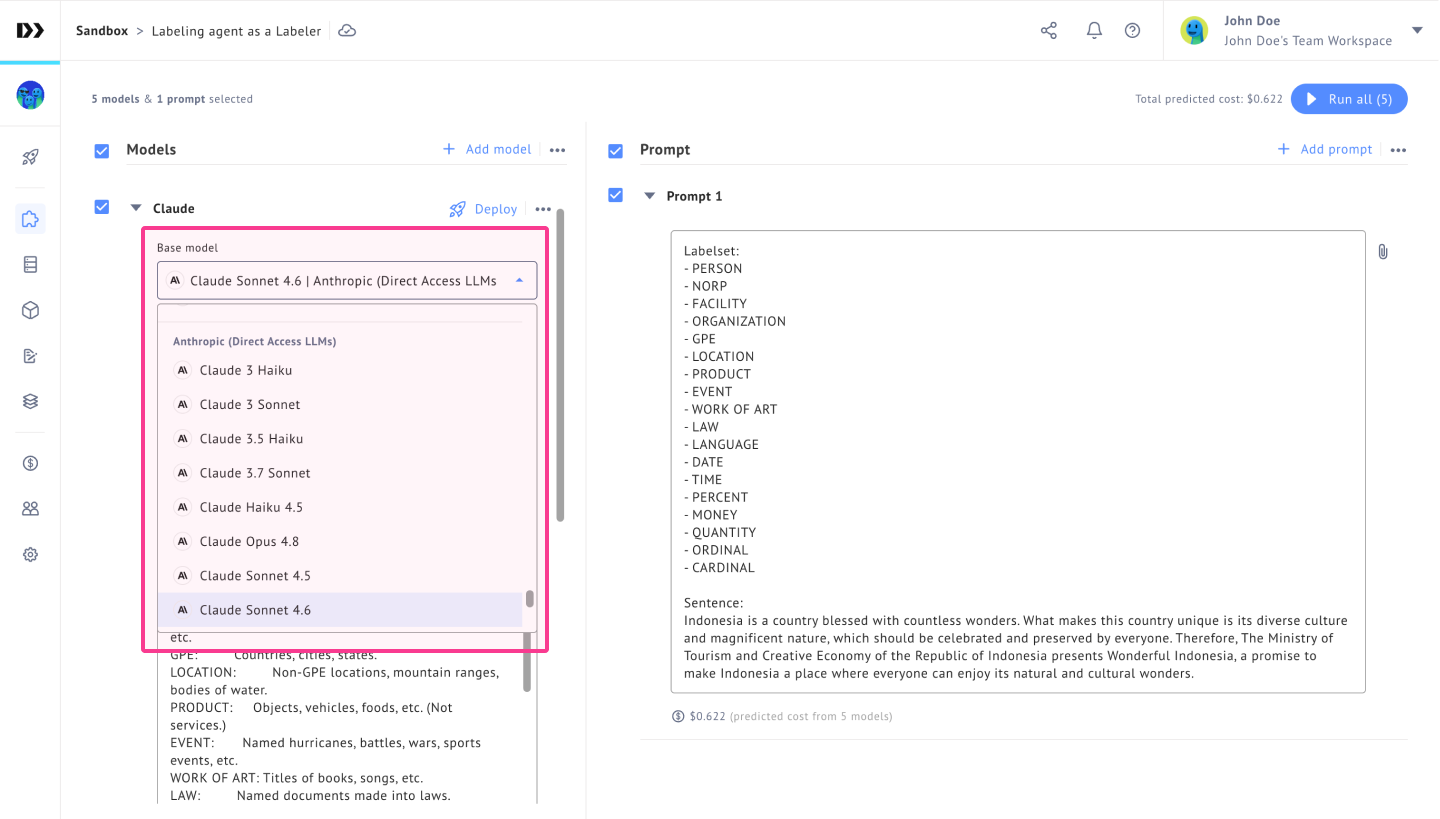
Model Selection: Access The Latest Claude Model More Easily
The latest Claude model is now available as a selectable option in model settings, helping teams stay current with newer model capabilities. This gives you more flexibility when choosing the right model for your workflows.
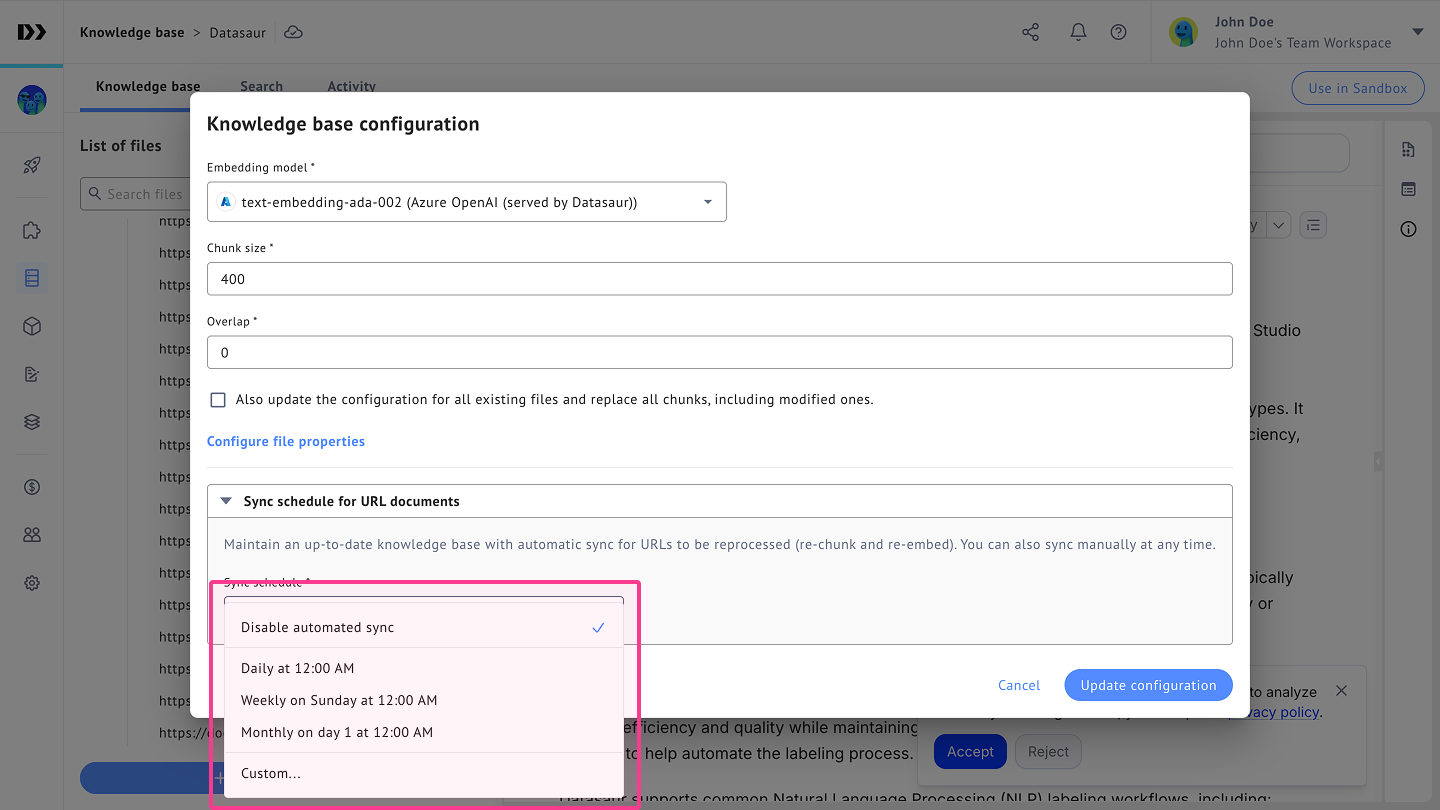
URL File Sync Scheduling: Keep External Content Up to Date Automatically
URL-based files now support periodic sync on hourly, daily, or custom schedules, so updated content can be reprocessed automatically. This reduces manual upkeep and makes it easier to keep downstream workflows aligned with changing source material.
These updates are now live, with this month's highlights centered on more adaptable labeling workflows, smoother audio review, and easier content sync management.