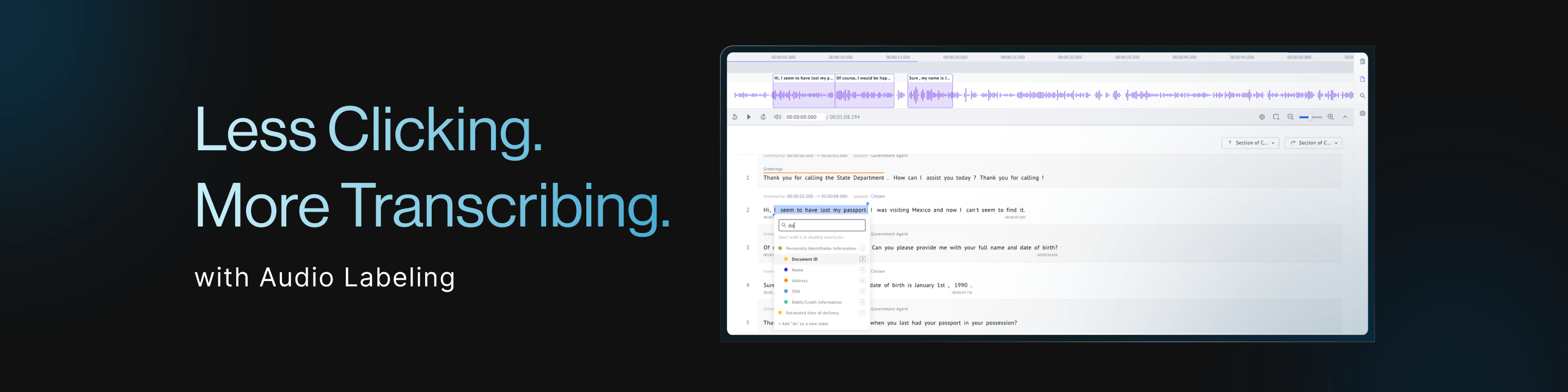

Less Clicking. More Transcribing.
Why Transcription Matters More Than Ever
The rapid growth of voice AI is increasing the need for scalable transcription review and quality assurance workflows.
According to recent market research, the global voice and speech recognition market is projected to exceed $22 billion in 2026 and reach more than $60 billion by 2031, driven by the adoption of conversational AI, call center automation, speech analytics, voice assistants, and real-time AI communication systems.
As organizations generate larger volumes of audio data, the challenge is evolving beyond simply creating transcripts—it is ensuring those transcripts are accurate, consistent, and ready for AI development. As audio datasets continue to scale, maintaining reviewer speed and quality becomes just as important as the transcription technology itself.
Built Around the Way Transcriptionists Actually Work
Many transcription professionals already rely on keyboard shortcuts, foot pedals, and other specialized workflows to maximize efficiency.
With Datasaur's expanded hotkey functionality, common transcription and review actions can now be mapped to customizable keyboard shortcuts. Rather than forcing users into a predefined workflow, Datasaur allows teams to configure controls that fit their existing processes and hardware.
For teams using foot pedals, this flexibility is especially valuable. Because foot pedal software can often be mapped to keyboard inputs, users can integrate Datasaur into their preferred workflow without requiring dedicated hardware integrations.
The result is a more fluid transcription experience with fewer interruptions and less reliance on a mouse.
Faster Timestamp Creation
Timestamping is one of the most common tasks during transcription review and quality assurance.
Datasaur now supports keyboard and pedal-driven timestamp creation, allowing reviewers to create and apply timestamps directly from their configured shortcuts. The system automatically associates the timestamp with the relevant transcript line, reducing manual steps and helping reviewers move quickly through audio content.
Whether you're reviewing ASR-generated transcripts or manually transcribed content, timestamps can be created without disrupting your workflow.
Quickly Correct Missing Transcript Content
Transcript review often uncovers missing text, omitted phrases, or formatting issues that need to be corrected before work can continue.
To support these scenarios, Datasaur enables keyboard pedal-driven line insertion capabilities, allowing reviewers to add new transcript lines without navigating away from their current position.
Instead of breaking concentration to reach for a mouse, reviewers can make corrections and continue working immediately.
A Better Workflow for ASR Quality Assurance
These improvements become even more valuable when combined with Automatic Speech Recognition (ASR).
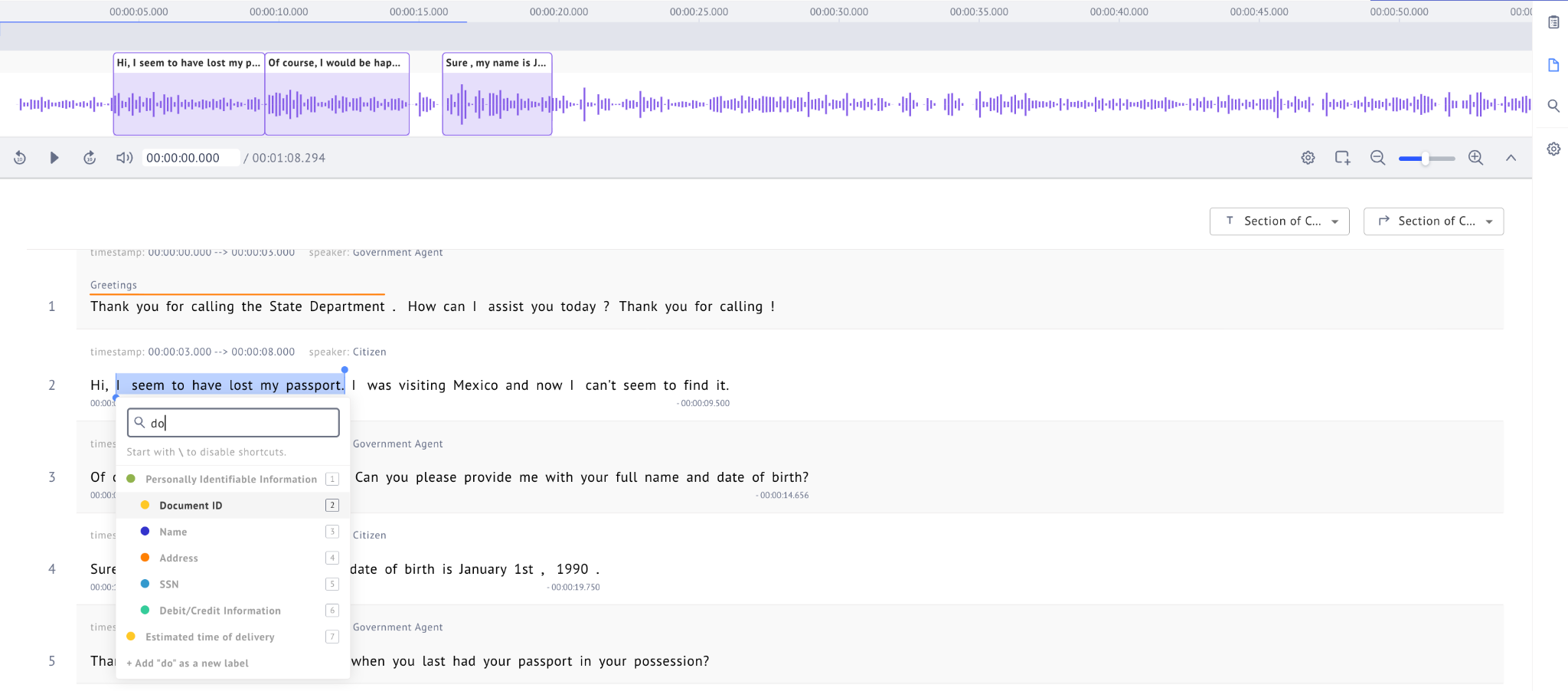
Teams can automatically ingest ASR-generated transcripts into Datasaur, then use audio playback, timestamping, annotation, and review workflows within a single environment. Reviewers can listen to audio, verify transcript accuracy, apply corrections, create timestamps, and annotate content without constantly moving between systems.
By bringing these activities together, Datasaur helps reduce friction in transcription QA workflows and allows teams to review content more efficiently.
Designed for High-Volume Audio Projects
As organizations process increasing volumes of audio data, small workflow improvements can have a significant impact on productivity.
By expanding customizable hotkeys and reducing dependence on mouse-driven interactions, Datasaur helps transcriptionists and reviewers maintain focus, move through content faster, and create a smoother quality assurance experience.
Because the best transcription workflow isn't the one that forces users to adapt—it's the one that adapts to the way they already work.