
May 2026 Feature Updates: Richer Audio Labeling, Smarter Predictions, and More Labeling Control
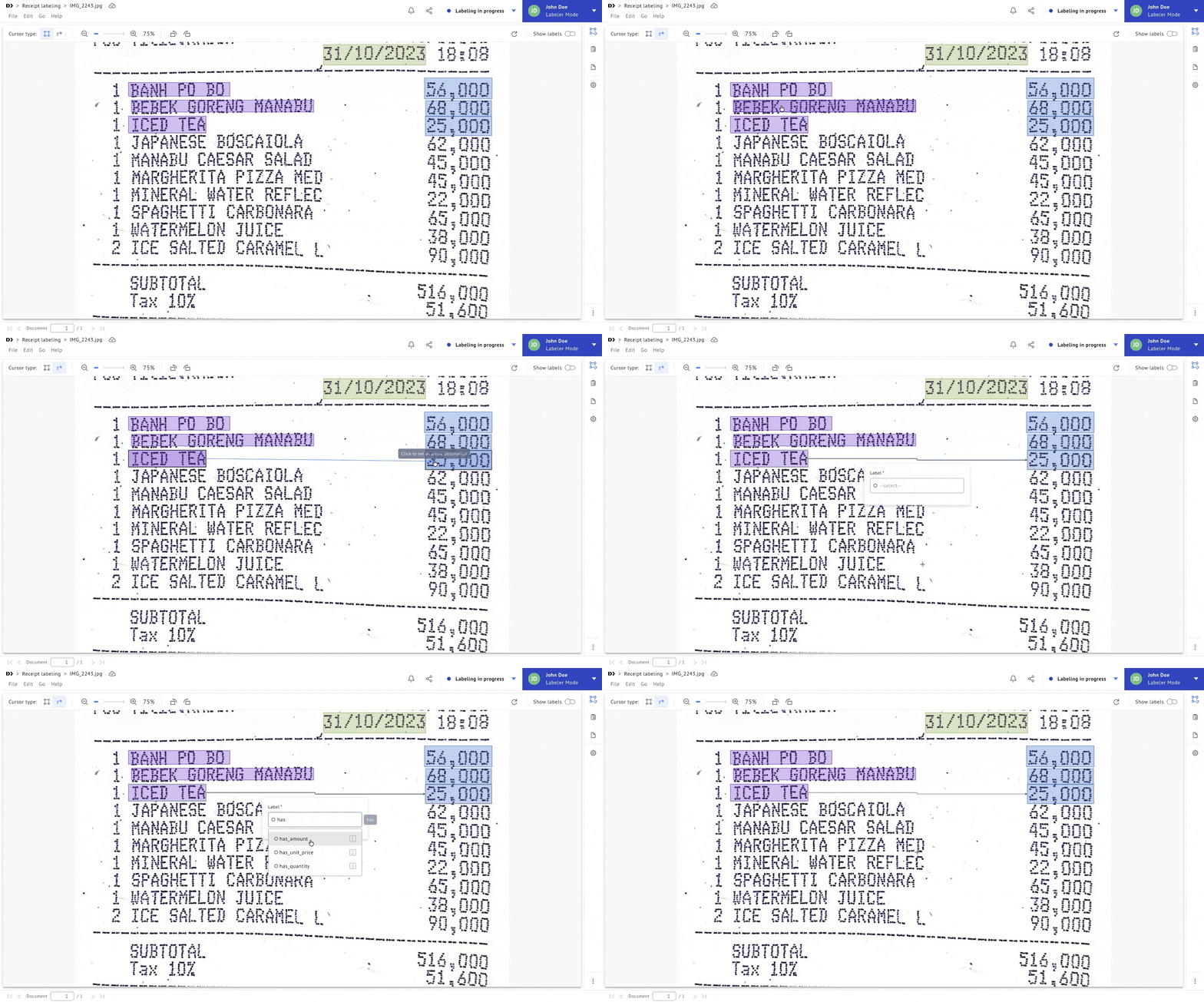
Bounding Box Relationship Labeling: Define Relationships Between Bounding Boxes
Structured document and image annotation often requires expressing how entities relate to each other, e.g. linking a table header to its corresponding cells, or connecting a question to its answer. You can now draw relationship links between bounding boxes in the image labeling editor, enabling richer annotation structures without leaving the labeling interface.
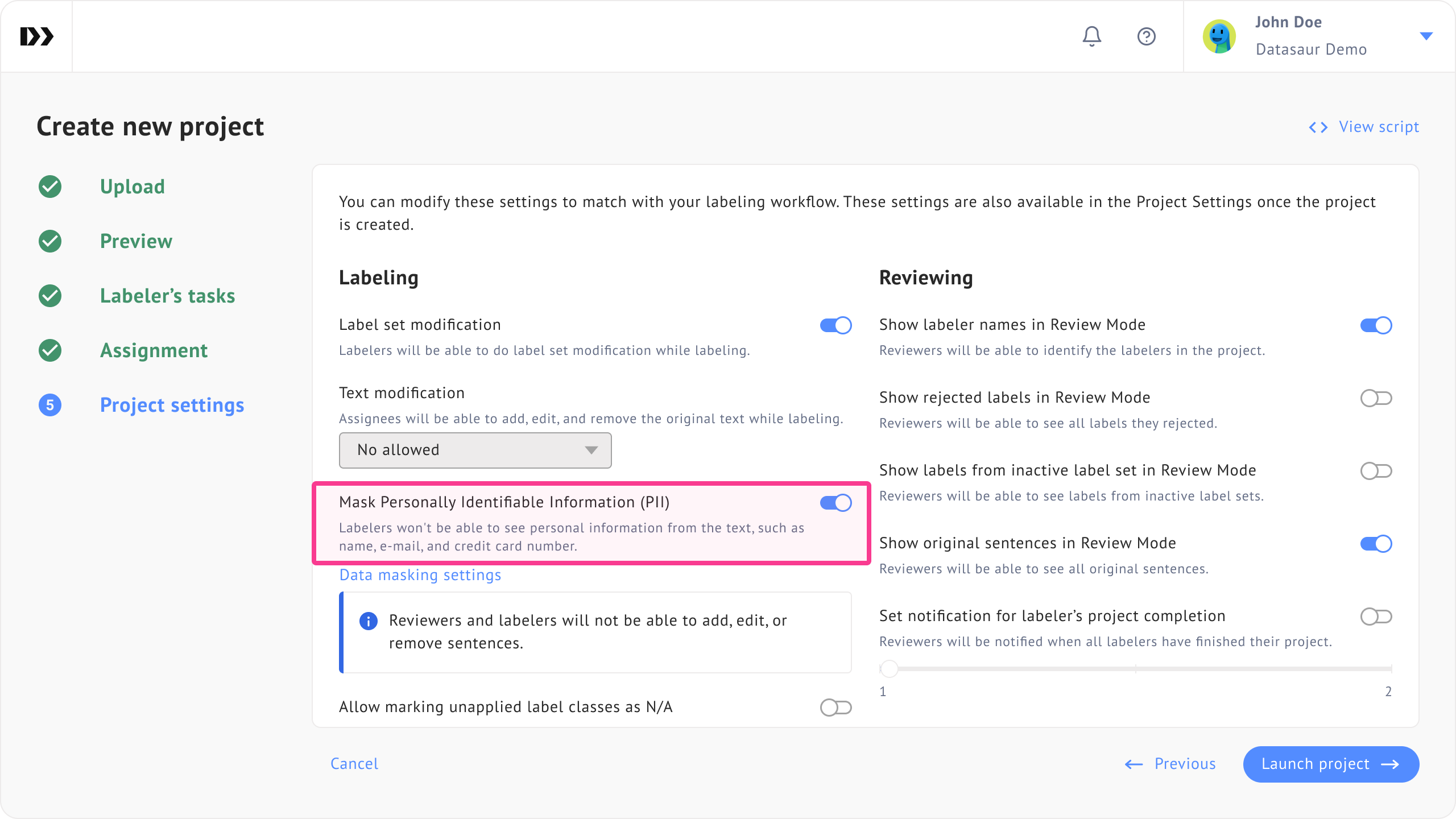
PII Anonymization in Assisted Labeling: Send Masked Content to Labeling Providers
When using external labeling providers for Assisted Labeling, sending raw text that contains personally identifiable information can create compliance risks. You can now enable PII anonymization during project creation, which automatically masks sensitive fields before the content is sent to the provider. The original data remains in Datasaur, only the anonymized version is transmitted.
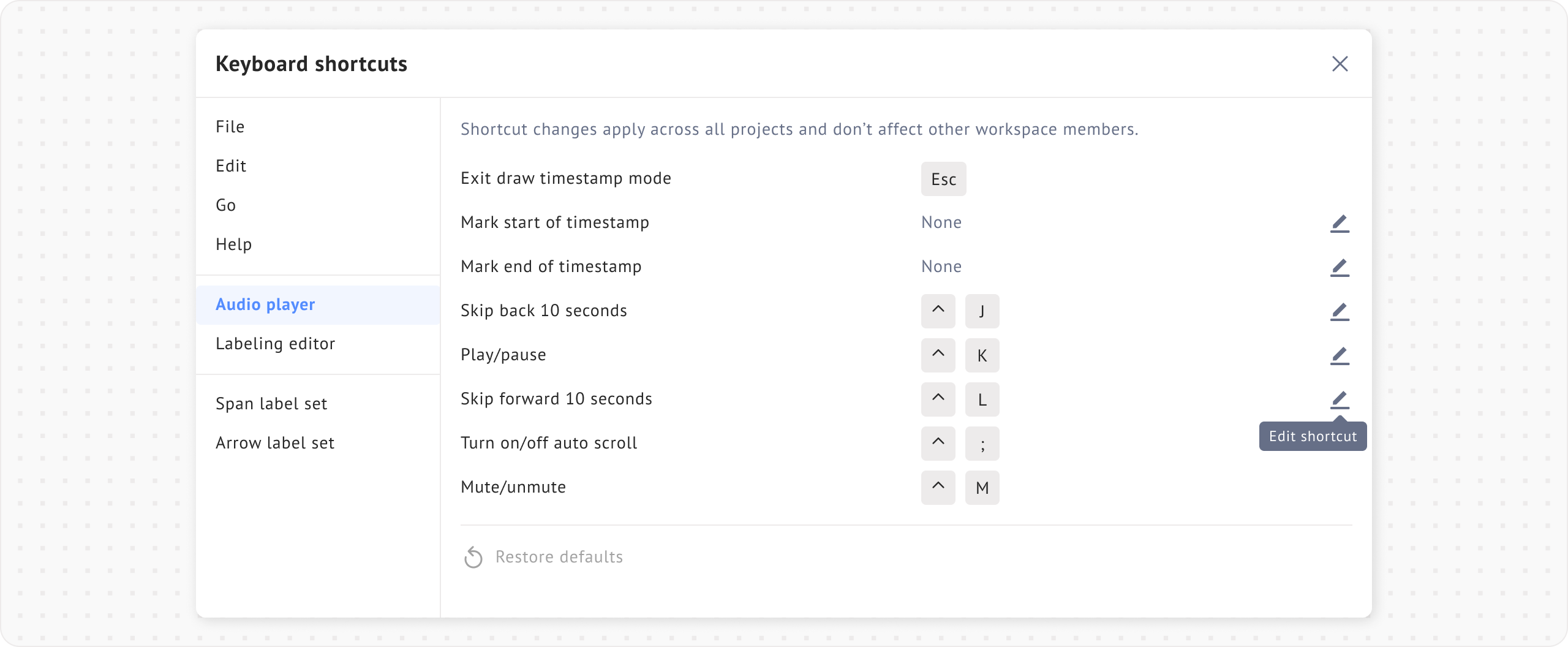
Configurable Keyboard Shortcuts: Customize Shortcuts for Audio and Labeling Editor Actions
Different teams have different workflows, and a fixed set of keyboard shortcuts doesn't fit everyone. You can now configure keyboard shortcuts for actions in both the audio labeling editor and the general labeling editor, tailoring the interface to how your annotators actually work. Custom shortcuts are saved per user and persist across sessions.
Labeling Agent Rerun in Row Labeling: Trigger New Prediction Runs on Demand
When a labeling agent produces incorrect or outdated predictions in a row labeling project, there was previously no way to rerun it without going through the project setup process again. You can now rerun the labeling agent for the entire project directly from the labeling interface, making it easier to refresh predictions after updating your model or project configuration.
.gif)
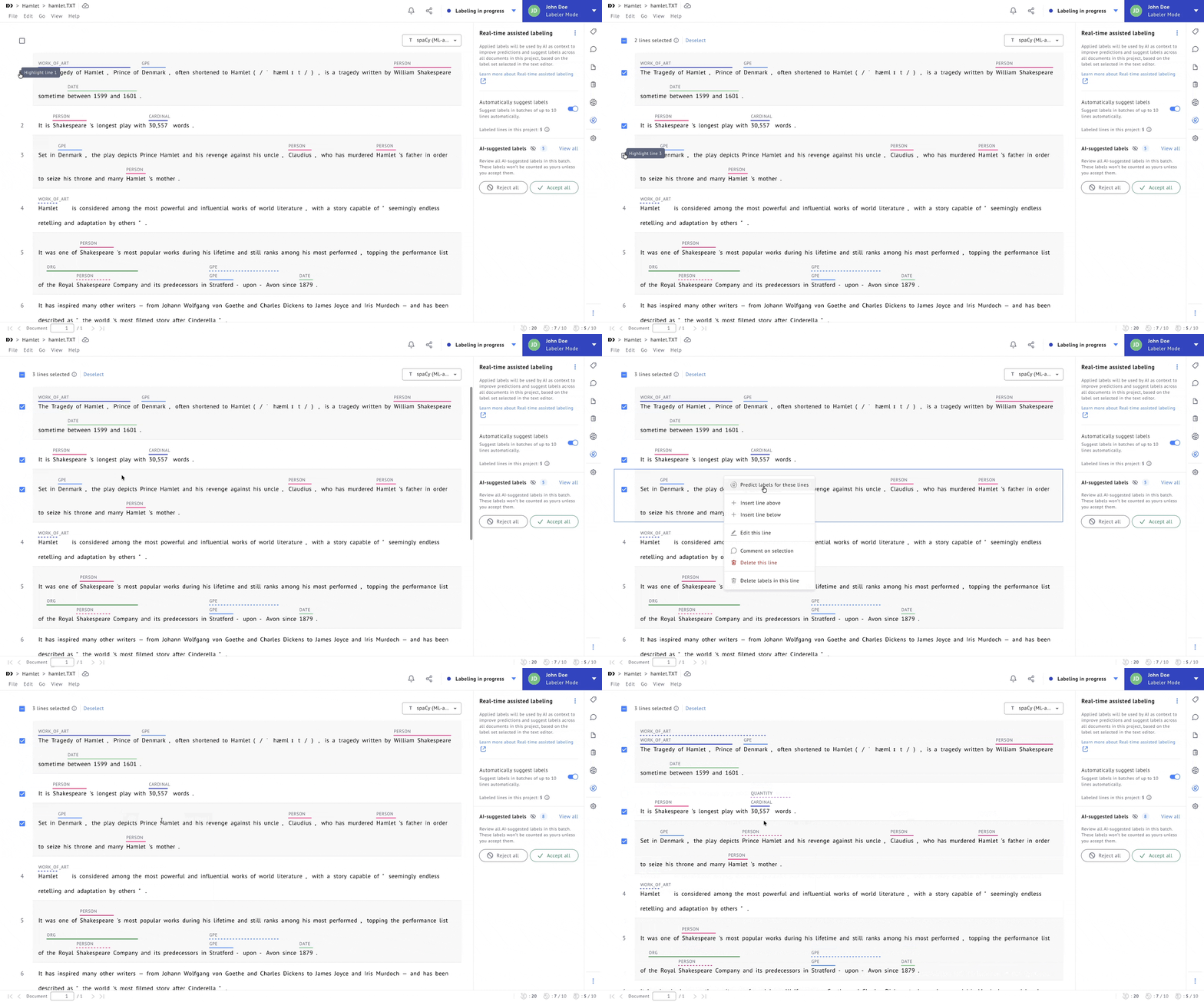
Bulk Re-Prediction in Real-Time Assisted Labeling: Trigger Re-Prediction on Multiple Rows at Once
Real-time assisted labeling previously allows only triggering re-prediction one row at a time, which was slow when you needed to refresh predictions across many rows after a model update or data correction. You can now select multiple rows and trigger re-prediction on multiple lines at once, significantly reducing the time needed to update assisted labels at scale.
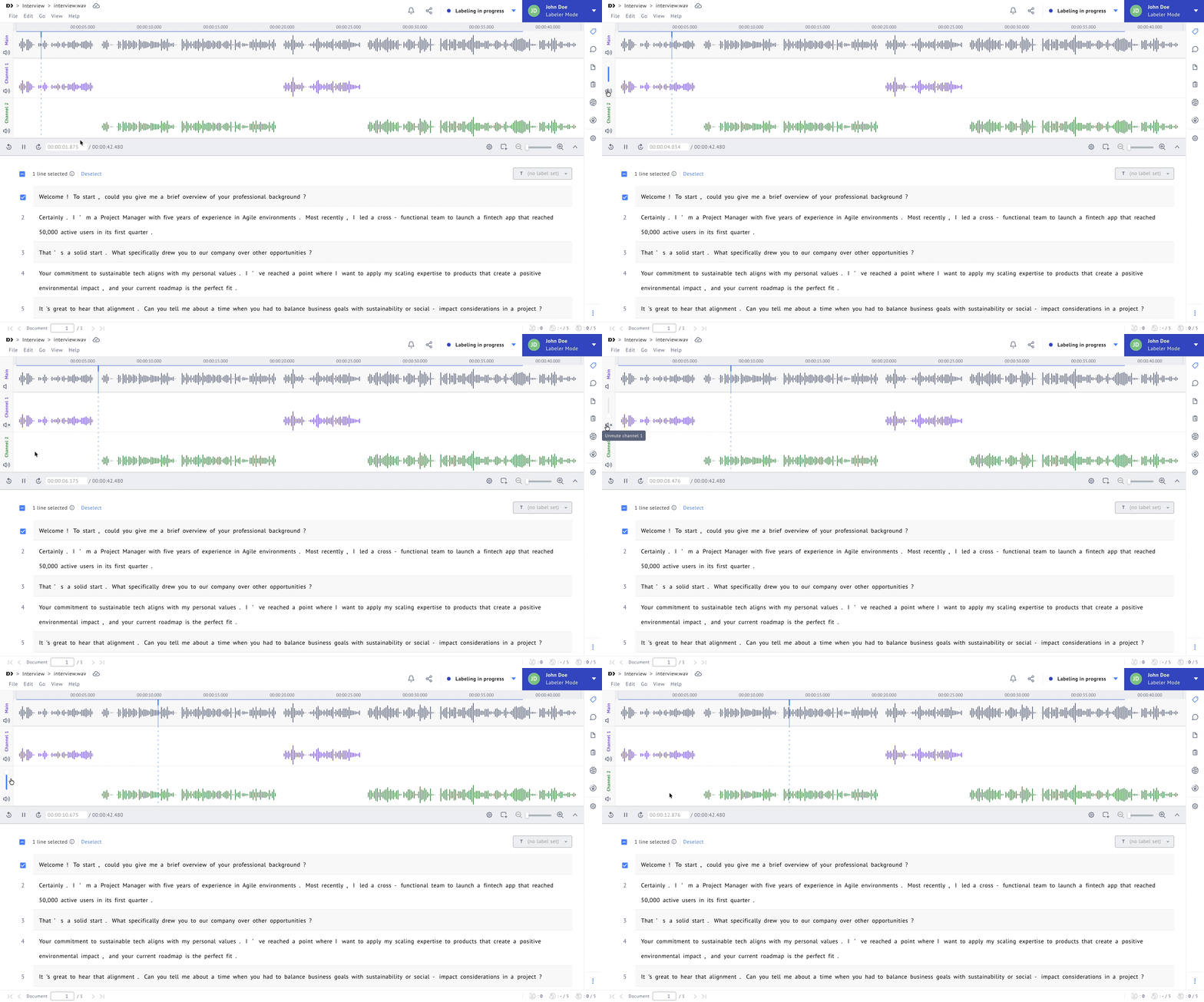
Per-Channel Audio Volume Controls: Adjust or Mute Individual Audio Channels During Labeling
When you're working with multi-channel audio recordings, background noise or overlapping tracks can make it hard to focus on a single speaker. You can now adjust the volume of each audio channel independently or mute channels entirely, directly from the audio labeling interface. This gives you precise control over what you hear without needing to pre-process your files.
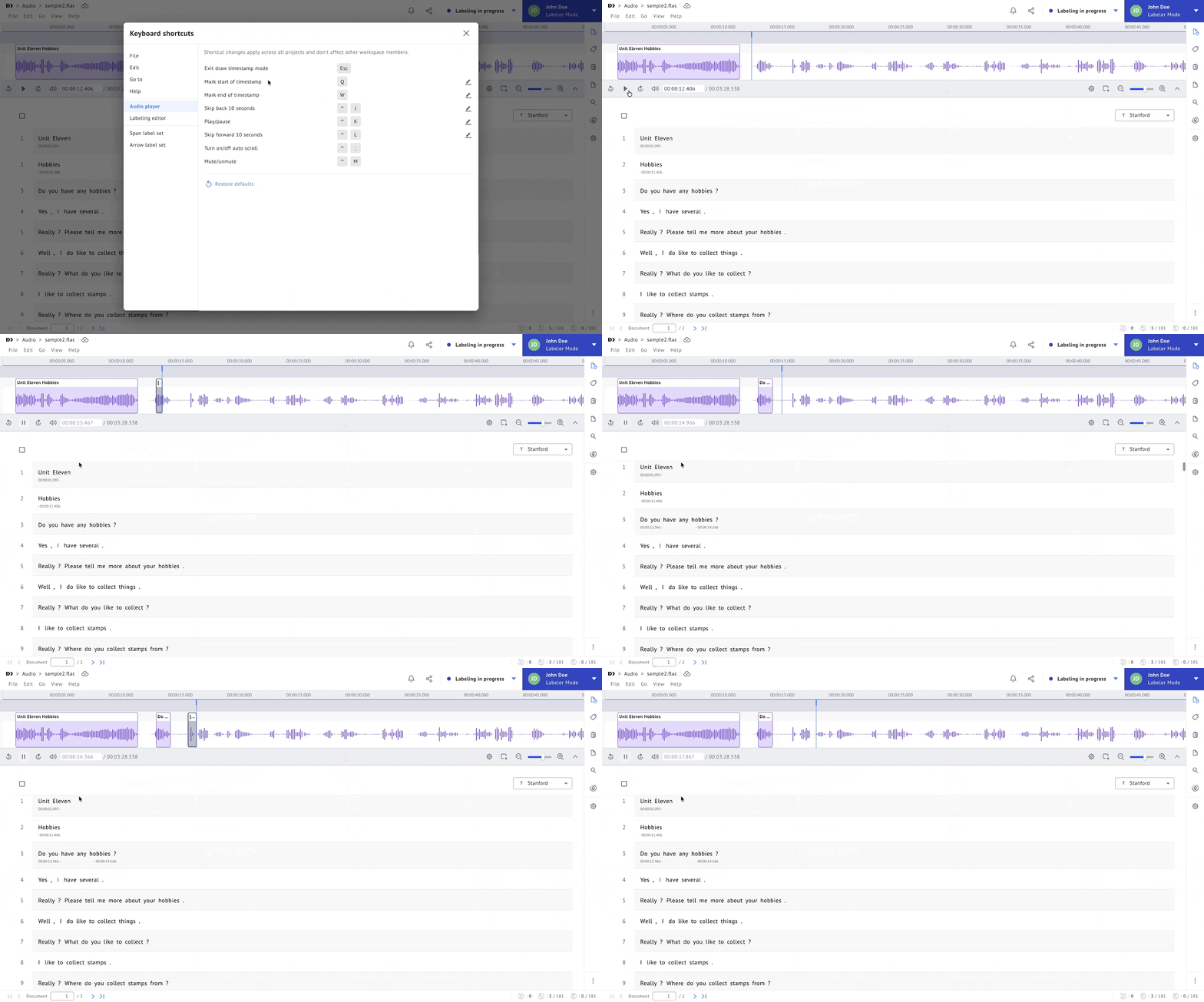
Audio Labeling Keyboard Shortcuts: Mark Start and End Timestamps Without Using the Mouse
Marking segment boundaries in audio labeling previously required reaching for the mouse, breaking your flow. You can now assign keyboard shortcuts to mark start and end timestamps, letting you stay in the audio and label continuously without interrupting playback. This is especially useful for high-volume transcription and speech annotation work.
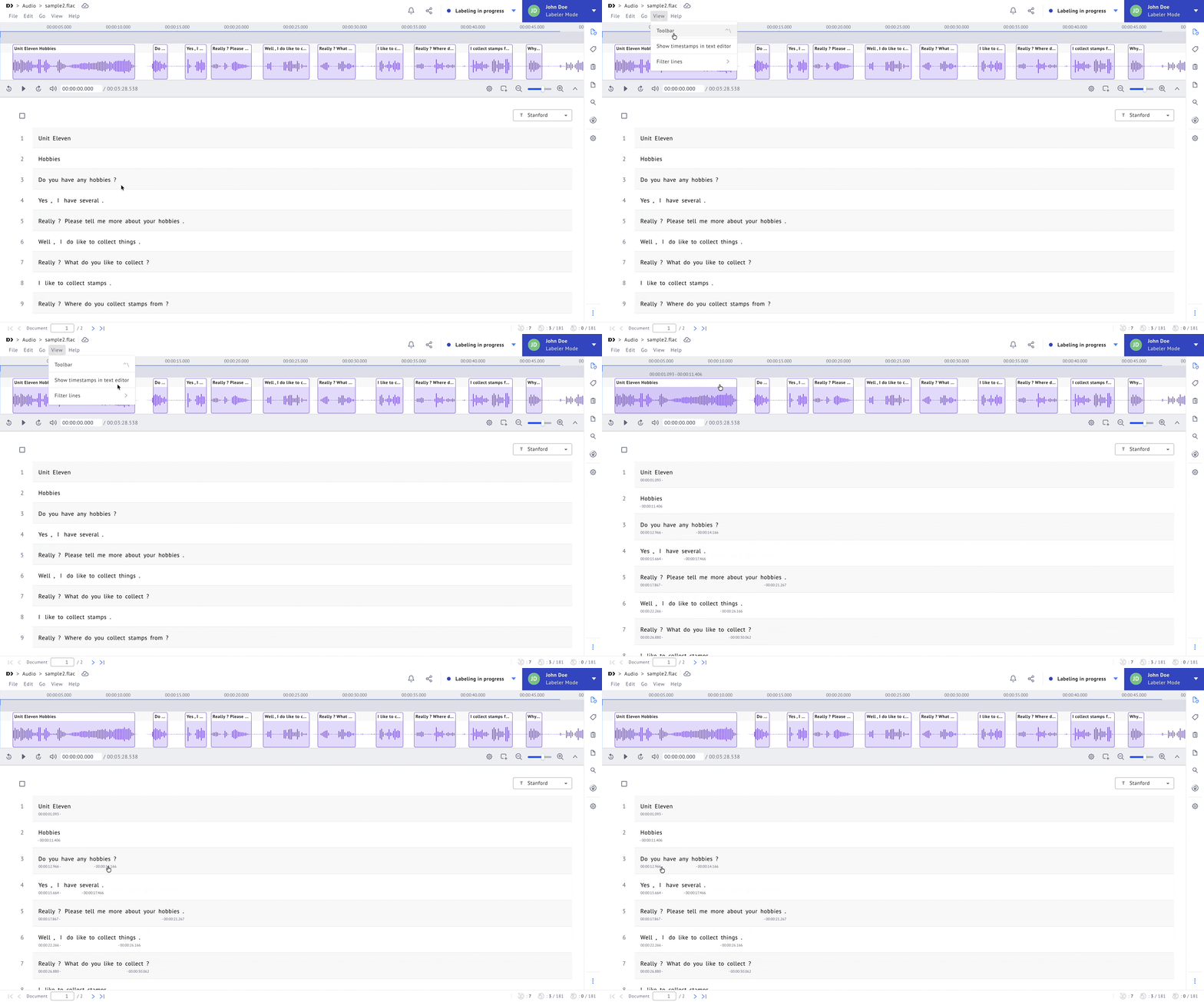
Always-Visible Timestamps in Audio Labeling: Keep Transcript Timestamps in View
Previously, transcript timestamps in the audio labeling editor could be hidden depending on the playback state, making it harder to stay oriented in long recordings. Timestamps are now always visible in the transcript panel, so you can navigate the audio timeline confidently at any point during your labeling session.
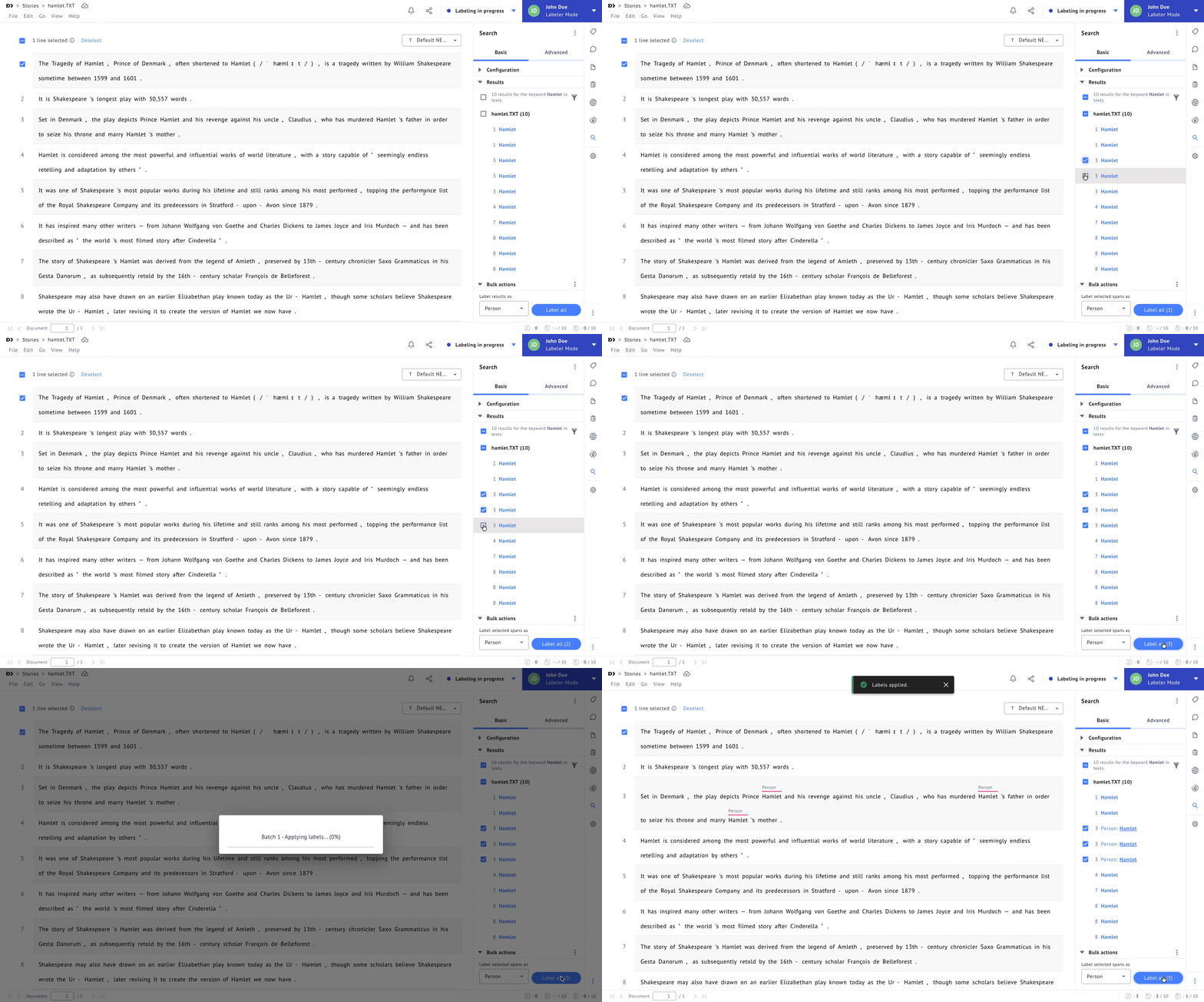
Selective Label All in Search: Apply Labels to a Chosen Subset of Search Results
The "Label all" action in the Search extension previously applied a label to every result at once, with no way to exclude certain matches. You can now select a specific subset of search results and apply the label only to those, giving you finer control over bulk labeling operations. This reduces the risk of over-labeling and makes large-scale annotation more precise.
Span+Line Labeling: Add New Sentences to Existing Documents
Span+line labeling projects now support adding new sentence rows to existing documents. Sentences can be inserted at any position in the document, making it easier to correct, expand, or reorganize content without needing to recreate the document.