
April 2026 Feature Updates: Smarter Labeling Controls, Audio Precision, and Expanded Cloud Integrations
Data Studio
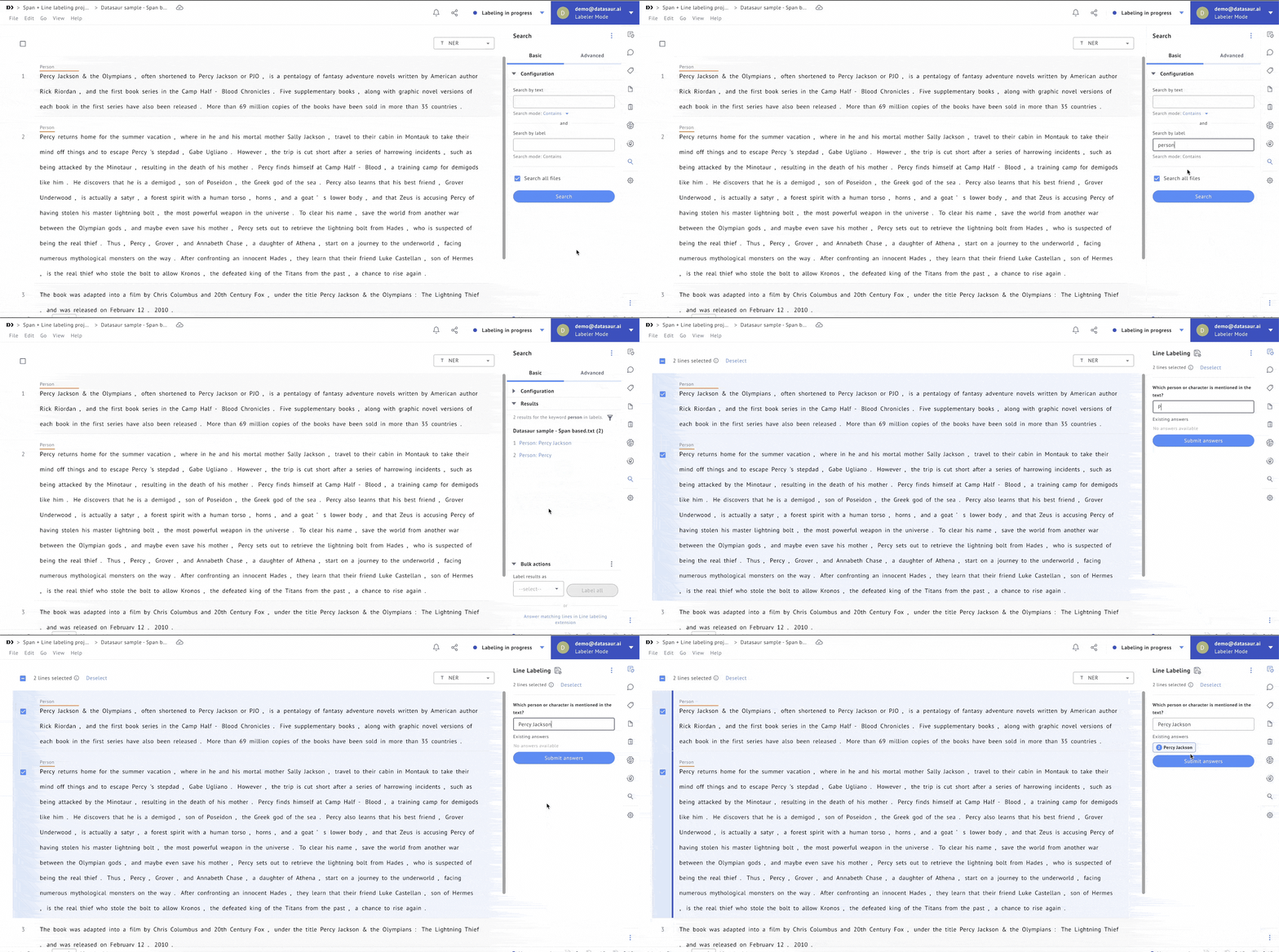
Search Extension: Bulk Line Answer Directly from Search Results
In Span+Line Labeling projects, the Search Extension now supports bulk line labeling from search results. After running a search, you can select multiple result lines and answer them all in a single submission, so what used to require going through each line one by one can now be done in one action. This is especially valuable when working with large datasets where the same answer applies to many matching lines.
PII Masking: See Exactly What's Hidden
When working in Span Labeling projects with PII masking enabled, a chip now appears in the editor to display the original field name of masked text, regardless of the masking method used. This gives annotators clearer context about what has been hidden without exposing the underlying data, reducing confusion and improving labeling accuracy on sensitive datasets.
.png)
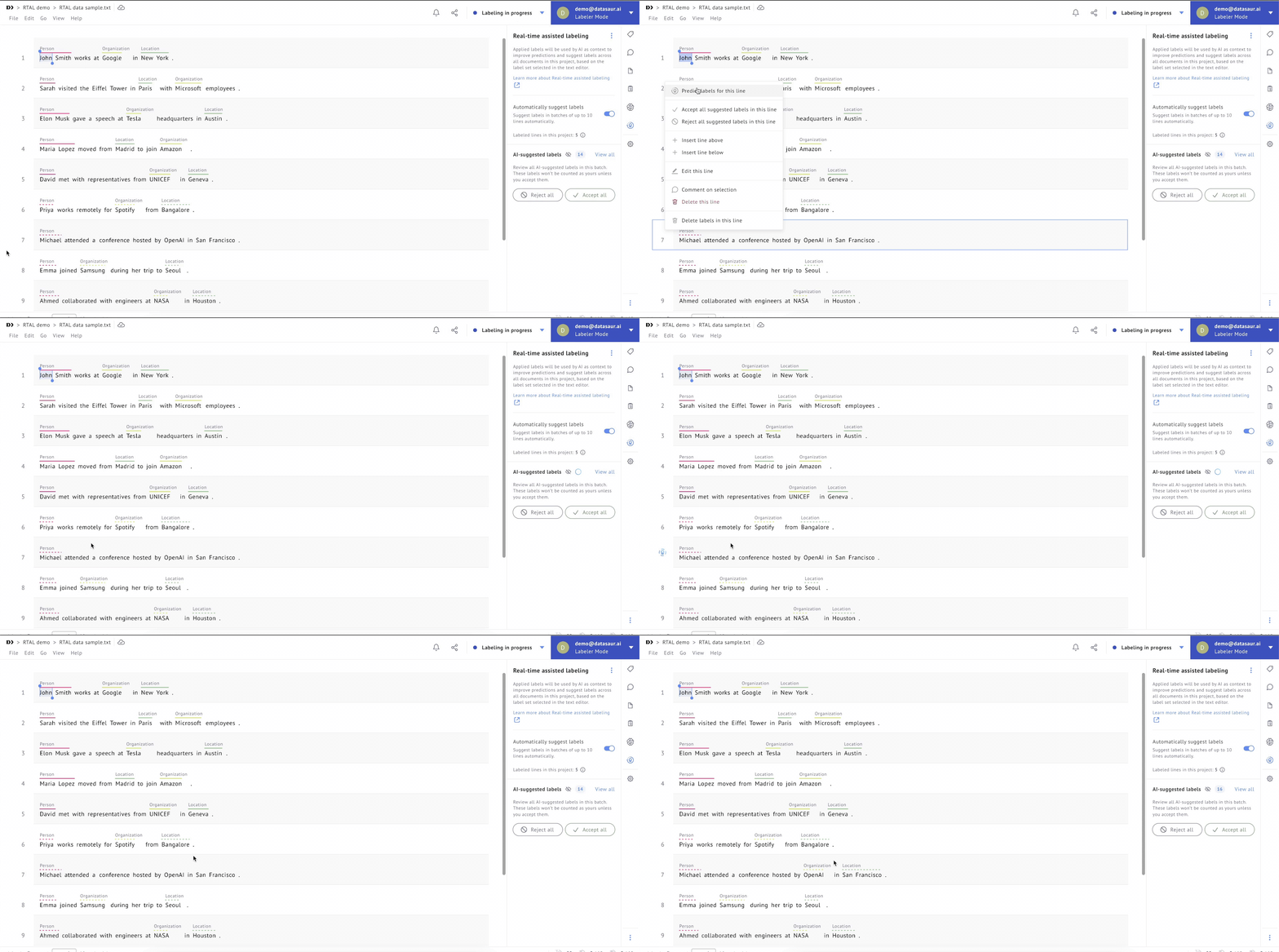
Real-time Assisted Labeling: Re-Predict on Demand
Reviewers using Real-time Assisted Labeling can now trigger re-predictions on selected lines at any point during the labeling process. Rather than relying solely on the initial model output, teams can now refresh predictions on uncertain or complex rows to get a better starting point for review, improving both the quality and confidence of the final labels.
Audio Labeling: Apply Labels Without Clicking the Editor
A new personalization setting in Audio Labeling syncs the span selection in the editor with audio playback. When enabled, the corresponding span is automatically selected as audio plays, so you can immediately apply a label without manually clicking into the editor first. This keeps your focus on listening rather than navigating, making the labeling experience smoother and more efficient for audio-heavy projects.
%20(1).png)
.gif)
LLM Labs
OneDrive Integration for Knowledge Base
LLM Labs users can now connect OneDrive as an external object storage source for the Knowledge Base. This makes it straightforward to bring your organization's existing documents directly into your RAG workflows without manual uploads, keeping your Knowledge Base in sync with where your content already lives.
%20(1).png)
RAG Configuration Import and Export
You can now import and export model and application configurations in LLM Labs. This makes it easy to replicate a working RAG setup across different environments or share configurations with teammates — reducing setup time and ensuring consistency across projects and deployments.
%20(1).png)
All of these updates are available now. Try them in your workflow and let us know what you think.